Article: Affordable 3D Printers for Beginners: What to Know
Affordable 3D Printers for Beginners: What to Know
Table of Contents
- What Makes a 3D Printer Beginner-Friendly
- Cheap 3D Printers Under $300: What You Actually Get
- Easy-to-Use 3D Printers for Beginners: Features That Save Time
- Resin vs. FDM 3D Printers for Beginners
- 3D Printing Costs for Beginners: Beyond the Sticker Price
- Setting Up Your First Affordable 3D Printer
- Safety and Maintenance for Home 3D Printing
- How to Choose: A Decision Framework for Beginners
- Frequently Asked Questions
Last Updated: October 22, 2026
What Makes a 3D Printer Beginner-Friendly
The best affordable 3D printers for beginners share three traits: automatic bed leveling, a simple assembly process, and a build volume large enough for real projects without being so large it becomes hard to tune. At Hobbyist Depot, we tell new makers the same thing: buy for your first 20 prints, not your dream build.
Beginner-friendly describes a printer that works well before you understand why it works. That means fewer manual adjustments, clearer instructions, and parts that are easy to replace.
Automatic Bed Leveling and Simple Setup
Automatic bed leveling removes the single biggest source of failed first prints. A sensor maps the print bed at multiple points, then the firmware compensates as it lays down the first layer.
Setup matters just as much. A machine that arrives mostly assembled and needs four bolts and a belt tension check beats a kit that takes a weekend. When you shop, look for wording like "pre-assembled" and "auto-leveling" in the spec sheet, not just the marketing photos.
Build Volume and Print Size for First Projects
Build volume is the maximum object size a printer can produce, listed as three dimensions such as 220 x 220 x 250 mm. For most beginners, that range covers phone stands, brackets, miniature terrain, and replacement knobs comfortably.
Bigger is not automatically better. A larger bed takes longer to heat and is harder to keep flat, and most first projects fit well inside a modest footprint. Match the volume to what you actually plan to print in your first six months.
Cheap 3D Printers Under $300: What You Actually Get
Under $300, you get a working FDM printer with a heated bed, a single extruder, and a modest build volume. You do not get industrial precision, silent stepper drivers on every model, or a fully enclosed chamber. That trade-off is normal, and it is fine for learning.
The useful way to shop this tier is by price band, because each step up buys a specific capability rather than a vague "better" machine.
The sub-$150 band: kit territory
At the very bottom, expect a partial kit: you assemble the frame, route belts, and often tension them by feel. Bed leveling is usually manual, four knobs and a piece of paper, and there is no filament runout sensor. Build volume tends to land around 220 x 220 x 250 mm, which is plenty for first projects. This band is a reasonable choice only if you actively want to learn the machine's mechanics; otherwise the hours you spend tuning are the hidden cost.
The $150-$250 band: the beginner sweet spot
This is where automatic bed leveling, a spring steel build plate, and a mostly pre-assembled frame start to appear together. You still get an open frame and single-color printing, but the first-layer consistency improves sharply, and that is the single biggest predictor of whether a beginner sticks with the hobby. If your budget allows one upgrade, spend it here rather than on advertised top speed.
The $250-$300 band: refinement, not revolution
Near the top of the tier you start seeing quieter stepper drivers, better part cooling, and occasionally Wi-Fi or a touchscreen. Print quality does not jump dramatically over the band below, the gains are in noise, convenience, and consistency.
Expect these features across the tier:
- Open-frame design with exposed rails and belts
- Single-color printing with an upgrade path later
- PLA and PETG as your practical material range
- MicroSD or USB printing, with Wi-Fi on some models
- Basic but functional part cooling
What separates a good cheap 3D printer from a frustrating one is not the spec list. It is how consistently it holds a first layer. Our advice: spend your budget on leveling and a rigid frame before you spend it on speed.
Easy-to-Use 3D Printers for Beginners: Features That Save Time
Easy-to-use 3D printers for beginners cut the gap between unboxing and a finished print. The features that matter most are the ones that remove a decision you would otherwise get wrong.
Print speed deserves a caveat. High advertised speeds rarely hold on a budget machine without tuning. A printer rated for moderate speed that finishes every job beats a fast one that fails half of them.
Resin vs. FDM 3D Printers for Beginners
FDM printers melt filament and lay it down in layers. Resin printers cure liquid photopolymer with a light source and deliver far finer detail. For a first printer, FDM wins on cost, safety, and mess.
Resin shines for miniature gaming figures, jewelry masters, and anything where surface detail matters more than strength. The EPA guidance on household hazardous waste explains how to dispose of chemicals like these responsibly.
| Factor | FDM | Resin |
|---|---|---|
| Best for | Functional parts, terrain, repairs | Miniatures, fine detail |
| Materials | PLA, PETG, TPU | Photopolymer resin |
| Post-processing | Remove supports, sand lightly | Wash, cure, handle safely |
| Home safety | Low odor, minimal PPE | Gloves, ventilation required |
| Beginner fit | Strong | Better as a second printer |
3D Printing Costs for Beginners: Beyond the Sticker Price
The printer is the smallest part of your first-year spend for many makers. Filament, spare nozzles, tools, and failed prints add up quietly. Competitors stop at the sticker price; the honest way to budget is to build a first-year total, line by line, so you know what you are actually committing to before you check out.
A realistic first-year budget
Treat these as planning ranges, not quotes, prices move, and your habits matter more than any single number:
Mingda 600D Industrial Fast Printer →
- Printer: your chosen machine, from the sub-$300 tier upward
- Filament: several 1 kg spools of PLA. A typical spool runs roughly $18-$30, and most beginners burn through two to four in the first months between calibration, test prints, and real projects.
- Nozzles: a pack of replacements is inexpensive and worth keeping on hand; a worn nozzle is a common cause of sudden extrusion problems.
- Tools: a scraper, flush cutters, and a set of hex keys cover most routine work.
- Replacement filament for mistakes: budget for waste explicitly. The learning curve consumes more filament than expected, and pretending otherwise is how budgets break.
A common pattern is that material cost per finished part stays modest, but the first month's learning curve eats a disproportionate share of your first spool. Budget for waste and you will not be surprised.
The costs that surprise beginners
Three line items catch people off guard. First, failed prints: a print that peels loose at hour six wastes both filament and time, and the fix is usually a first-layer check rather than new hardware. Second, upgrades: a spring steel plate, a filament dryer, or a second spool in a new color are optional but common within the first year. Third, maintenance consumables, nozzles, build-plate surfaces, and the occasional belt, are small individually and easy to forget collectively.
How to keep the total down
Buy two spools of the same PLA color at the start: one becomes your calibration and test spool, the other your good spool, and you stop hesitating before every test print. Print a small bed-level patch before long jobs so a bad first layer fails in minutes rather than hours. And resist upgrading until you know your real workflow, most beginners buy accessories for problems they do not yet have.
Setting Up Your First Affordable 3D Printer
Setup is where most beginners stall, and it is almost always a documentation problem rather than a mechanical one. Give yourself a clear afternoon, a flat surface, and good light.
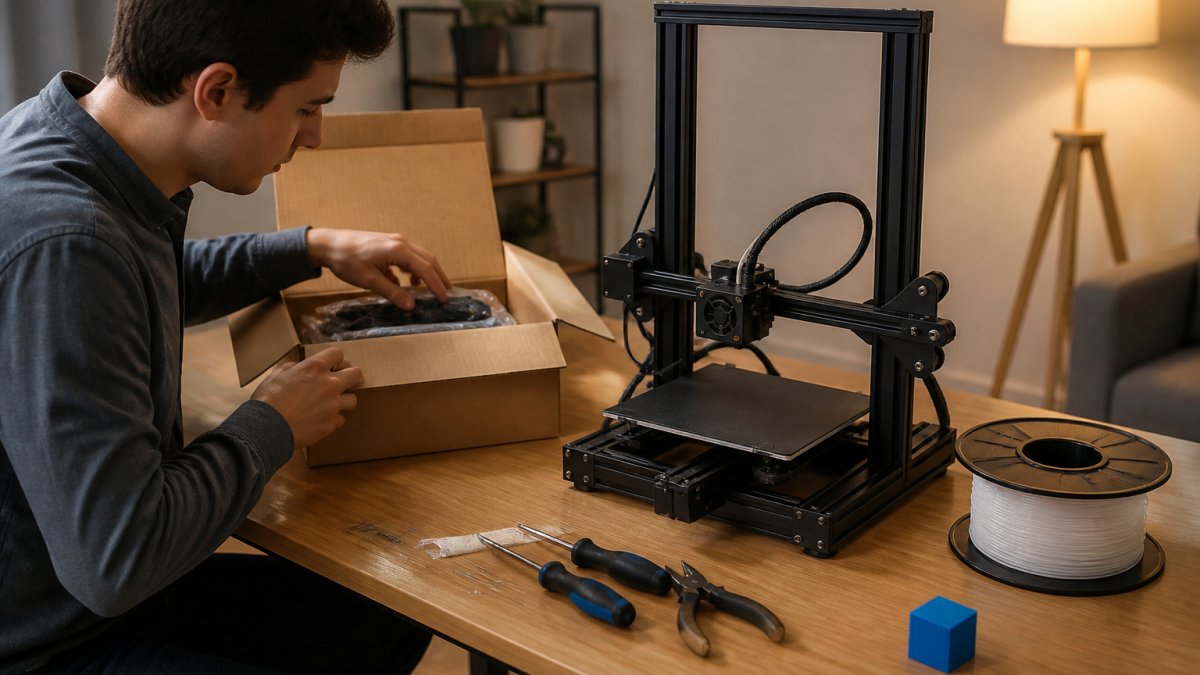
Work through it in this order:
- Unbox onto a stable table and keep every bag labeled
- Assemble per the manual, checking belt tension by feel
- Power on and run the self-check or leveling routine
- Load filament and heat to the spool's recommended temperature
- Print the included test model before anything ambitious
If the manual is unclear, ask before you guess. Hobbyist Depot keeps human support on hand for exactly this stage, and a five-minute answer beats an evening of trial and error.
Your First Print and Common Mistakes to Avoid
Your first print should be small, slow, and boring. A calibration cube or a bed-level test patch tells you more than a decorative model ever will.
The mistakes we see most often:
- Skipping the first-layer check and letting a bad base ruin a long print
- Printing too fast on the default profile before tuning
- Ignoring the spool temperature range and wondering why layers separate
- Forcing a print off the bed instead of letting the plate cool
Slow down for the first five prints. Speed comes after you trust the machine.
Safety and Maintenance for Home 3D Printing
Home 3D printing is safe when you respect two things: heat and fumes. The hotend and heated bed reach temperatures that cause burns, so keep hands clear during and just after a print.
Ventilate the room, especially with ABS or PETG, and keep the printer on a stable, nonflammable surface away from curtains and clutter. The U.S. Consumer Product Safety Commission publishes general guidance on safe use of household electrical products worth a read before you plug in.
Maintenance is short and regular: wipe the bed, check belt tension monthly, clear dust from fans, and replace a worn nozzle when extrusion starts to wander. A little upkeep prevents most of the failures beginners blame on the printer.
How to Choose: A Decision Framework for Beginners
Choosing comes down to matching three variables: your budget, your materials, and your detail needs. Run through the questions below and the shortlist builds itself.
- What will you print most? Functional parts and terrain point to FDM. Miniatures point to resin.
- What is your total first-year budget? Include filament and tools, not just the machine.
- How much setup patience do you have? Prefer auto-leveling and pre-assembly if the answer is "not much."
- Do you need multicolor? Single-color first; add a multi-material system later.
- How big is your largest planned part? Size the build volume to that, plus a margin.
If you are still unsure, start with a modest FDM machine and upgrade once you know your real workflow.
Picking a first printer is a decision about patience as much as price. The makers who enjoy this hobby are the ones who bought a machine that matches how they actually work, then gave themselves room to learn.
Frequently Asked Questions
Is it worth buying a cheap 3D printer?
It can be, if you match the machine to your projects. A low-cost FDM printer handles PLA figures, brackets, and decorative pieces well, and it teaches you the workflow before you spend more. The trade-offs show up in build volume, print speed, and how much tinkering you do. Budget for filament, a spare nozzle, and a few tools, and expect to learn calibration. If you want multicolor printing or large industrial parts, save longer instead of buying twice.
Can you get a 3D printer for $100?
Yes, but options at that price are usually small, open-frame kits with limited build volume and minimal support. They work for simple PLA prints and learning the basics, yet they often need manual bed leveling and extra tuning. Treat $100 as an entry point, not the full cost. Filament, tools, and replacement parts add up quickly, so compare the total against a slightly higher-priced machine with automatic bed leveling and a larger print bed.
Are resin or FDM 3D printers better for beginners?
FDM is the easier starting point for most beginners. Filament is cheaper, prints are durable, and the machines need less post-processing. Resin printers produce finer detail, which suits miniatures and models, but they require washing, curing, gloves, and ventilation. If you print gaming pieces and want sharp detail, resin can be worth the extra steps. For functional parts, home decor, and repairs, FDM is simpler and safer to run in a living space.
What supplies do you need to start 3D printing?
Start with a spool of PLA filament, a scraper, flush cutters, and a spare nozzle. Add isopropyl alcohol and lint-free cloths for cleaning the print bed, plus a small hex key set for adjustments. Resin setups also need gloves, a wash-and-cure station, and ventilation. Keep a notebook or app for logging settings. A digital caliper helps when checking dimensional accuracy on functional prints.