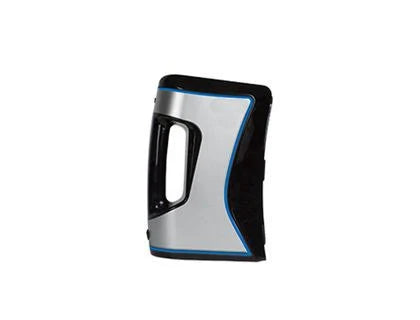
Scanners
Turn physical objects into digital starting points
Explore 3D scanners at Hobbyist Depot and find a starting point for bringing real-world shapes into your digital workflow. Whether you are planning a maker project, documenting an object, or exploring reverse engineering, choosing a scanner starts with understanding what you want to capture and how you intend to use the resulting model.
A scan captures surface geometry, but the work does not always end when scanning finishes. Depending on your project, you may need to clean up the mesh, fill gaps, adjust scale, or rebuild features in modeling software. Think of scanning as one stage in a larger design process rather than a shortcut that guarantees a finished, ready-to-print file.
How to choose a 3D scanner
Start with the size of your objects and the level of detail your project requires. Small parts, decorative objects, and larger subjects can call for different capture methods and working distances. Compare each product's stated scanning range, accuracy, resolution, and recommended object sizes instead of relying on a single specification.
Next, consider your workspace. Check whether the scanner suits a handheld workflow, a stationary setup, or accessories such as a turntable. Review computer requirements, connection options, included software, and supported export formats before buying. Compatibility with your existing modeling tools can matter as much as the scanner hardware itself.
Plan for better scanning results
Surface finish and object shape can affect the scanning process. Reflective, transparent, dark, or featureless surfaces may need additional preparation, depending on the scanner. Deep recesses and hidden surfaces can require multiple passes or a different object position. Follow the manufacturer's guidance for lighting, tracking, surface preparation, and safe operation.
Before you buy
Open the individual product listings to compare specifications, package contents, and setup requirements. Check whether any accessories or software licenses you need are included or sold separately. If your goal is 3D printing, also review the steps required to turn the scan into a watertight model suitable for your printer and slicing software. Choose based on your actual project, not just the most impressive headline number.
Sort by
2 products